


In automating Payroll on Profitaa, its a series of simple steps that produced amazing results. There is no limit to how many payrolls that can be generated or the number of employees in your organisation.
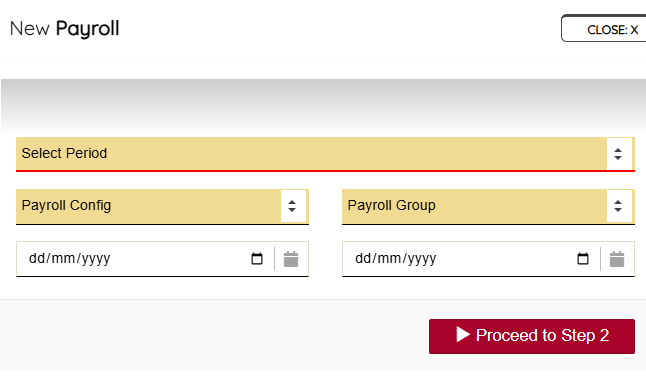
Click the “NEW” button, select the period you are generating for e.g. January 2026, Payroll Configuration to use, Payroll Group, and define the calendar dates that entails your selected period – in some scenarios the selected period (e.g. January 2026) might have different working dates, so its important you select the date range for that period.
This is also necessary for the computation of attendance – present and absent. Yes! Profitaa calculates your Employee attendances as part of payroll computation, deducting the days they are not “Present” at work. Refer to our Attendance system to understand how this work.
Click the “Proceed to Step 2” to continue the Payroll process.
Leave A Comment