


Tasks are the essential part of a Project, it helps to define the very work to be put in, who to do them, how and when they are done, experiences and issues encountered and much more. Project progress are tracked from Tasks.
On Profitaa, Tasks are defined on the Roadmap, assigned to specific Project Teams with defined start and end date.
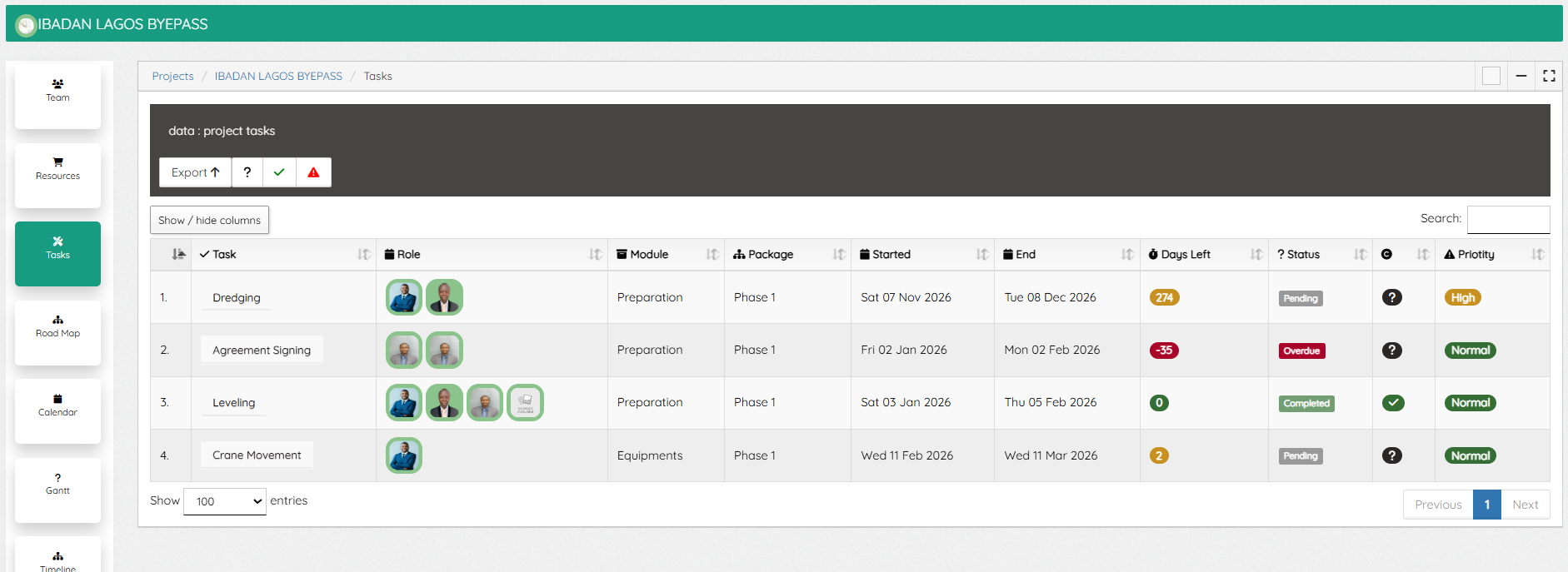
The Tasks page showing all assigned tasks, the team members assigned, the starting /ending dates, days left, statuses, compliance status and priority.
Project Team members assigned on a Tasks are notified by email, and also see these tasks on their self-service dashboard. A Click on a task open up the Task window with the task details and a second tab for “Activity Log”.

To add a new comment, response to a Task, click the Activity Log tab, and the + sign to open up the comment window. Note: only project team members and those assigned to a task can access this.
Project Team members with Tasks Management permissions can mark a task completed or not, also Compliance officers can perform their auditing on task.
Leave A Comment