


Resources in forms of Inventory /Procurement and Finance used on Projects are logged automatically on the Resources Page, as they are posted at the various points (Production Sites) and Account Department.
Production Sites: When inventory materials are been released to artisans, the site managers have the options of selecting project active projects, appending the inventory to the project.
This sent the bill to the Project Resource page, availing the Project Managers to assign the bill to a Package. This same process applies to bills raised from Account department.
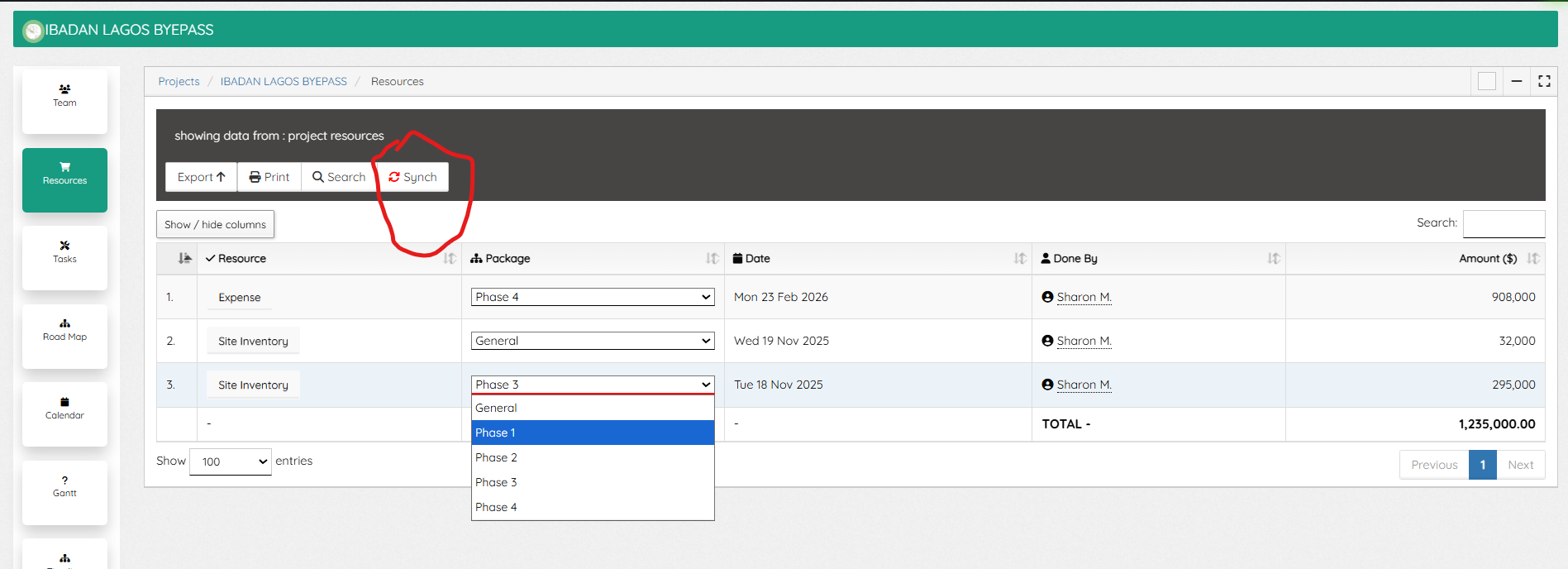
Synching Resources: Some times bills sent to Project are not available on the Resources page of a Project, use the “Synch” to synchronize all available bills to Project, then select from the Package and assign.
The Resources page shows the various types, a click will display either the invoice or Expense bill, and also the total resources spent, which account for the total Project Budget used.
Leave A Comment