


Key users of the Project System are known as Team. These are Employees in Profitaa that are selected with roles on a Project. These roles are permission based also, that means it determines what they will be able to do on the Project.
To get started, click on “New” to add a new member to a Project Team.
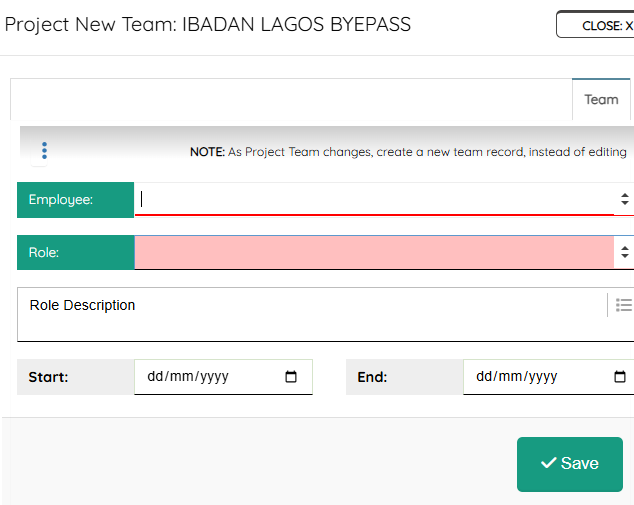
On the “Employee” search for an employee, select appropriate Project Role, some details about the role, then pick a starting and ending date for this role. Click the “Save” button. The employee will be notified of their new role on this Project and appropriate permissions granted. You can keep adding other team members, selecting their roles – as a Project Administrator, you can refine or edit your team at any time.
Leave A Comment