


As part of the process of generating payroll, components such as PENSION and PAYE (Pay as You Earn) can be configured to generate and calculate based on set formulas. You can have several of these configurations and decide which to use when generating a new Payroll.
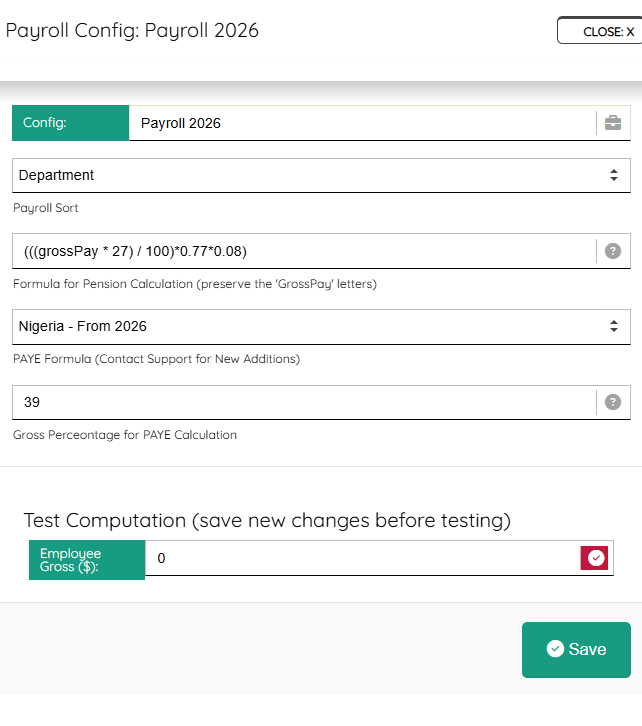
Enter a unique configuration name, select how you want the sortings (you can always come back to change this), then:
1. Formula for Pension: This formula can be modified as it pleases but remember to preserve the ‘grossPay’ which is the actual gross pay off an employee, as set on the HR – Engagement Record.
2. PAYE formula: Select from a dropdown of available PAYE formula. Profitaa will update the list as we receive more formulas from clients and users. You can contact us if you want your formula to be listed. These formulas are tested to confirm they conform to the Country’s operating Tax laws.
3. Gross Percentage for PAYE: This is the percentage of employee Gross Pay to be used for PAYE calculation.
Test Computation
We recommend you have fun testing your pension and PAYE settings (save before testing), enter any Gross Pay amount e.g 300,000 for an employee earning that amount per month, then click the red check sign to calculate a sample Pension and PAYE using your set formulas.
Leave A Comment