


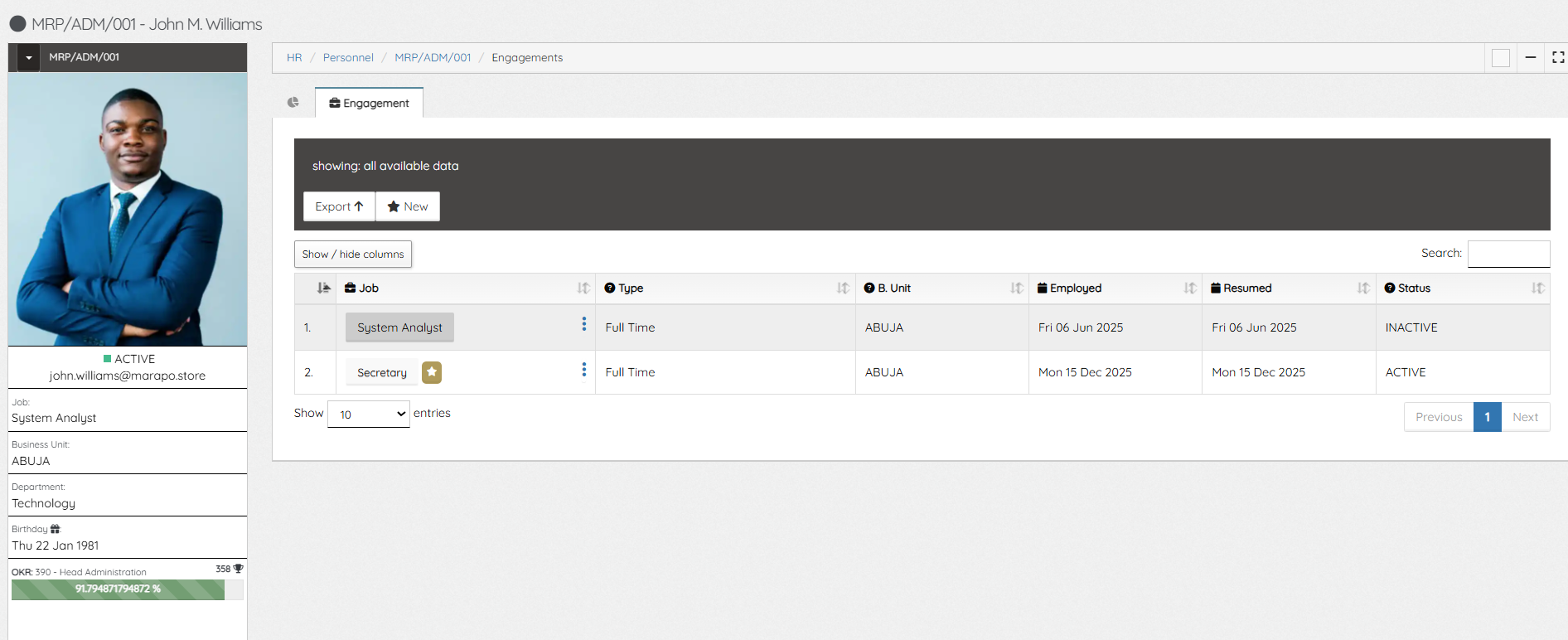
Profitaa HR system allows for multiple job engagements. An employee can have multiple job engagements which reflect various positions they have held in the company, with their details such as Business Units, Starting and Ending Date of Engagement. The current job engagement of the employee is Starred and used in the system for identification and payroll processing.
A click on any of the job engagement opens the details panel. To add a new Job Engagement to an employee record, click the NEW button, decide the job status, Business Unit (Company Branch), Department/Unit, Job Position, Engagement Type (Full-time, Part-Time, Internship, Contract), Basic Salary, Salary Group, Payroll Group, Entry Mode (Direct, TalentHub, Transfer, Referred, Others), Engagement and Resumption Date. The HR Administrator can also append some notes/comments on the engagement, not visible to employee.
Setting the status as ACTIVE will make this the current job of employee and set previous as INACTIVE. Payroll will be processed on the ACTIVE job engagement.
Leave A Comment