


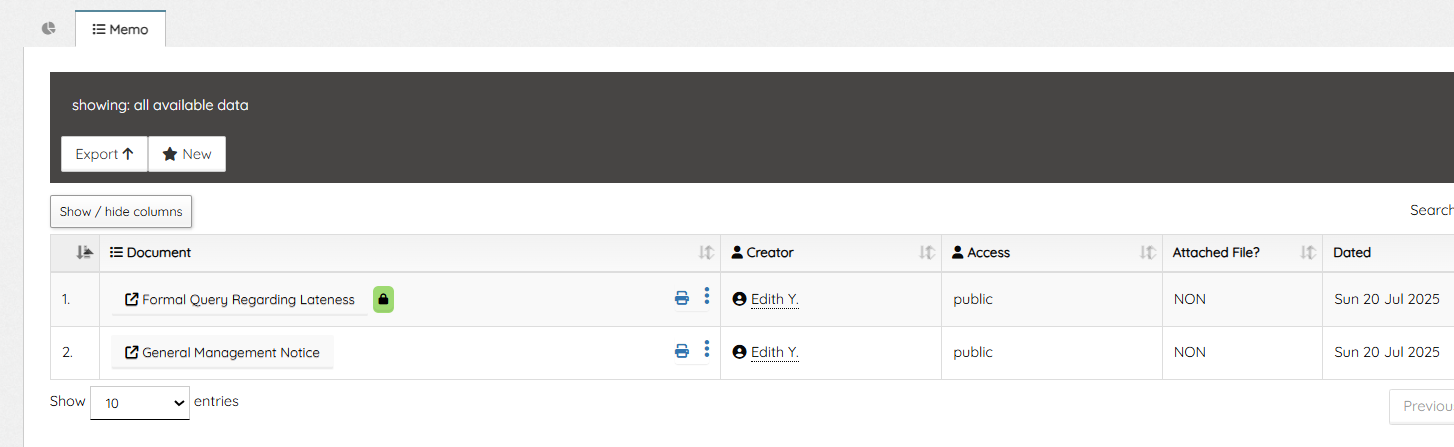
Queries and other memos appear on the Memo tab of the Employee dashboard. The list shows the memo document name, the sender (HR Administrator or other Admins) details, the type (private/public), if there are attached file and date it was sent.
A green padlock means the particular memo was private – sent to the employee only, while others without it means it was a general memo (public).
Clicking the memo/document name opens up the document viewer window, showing the entire content of the memo. The employee cannot delete any memo that is sent to them Learn how to create memo and documents.
Leave A Comment